6325p App: Install the APK and Play on the Bus
The 6325p app keeps slots, live tables and cricket markets in your pocket. Download the APK straight from this page, install it on Android in about a minute, and sign in with the same phone number you use on the website.
6325p.apk · 28 MB Android 8.0 or newer Version 2.6.19 Free
18+ · Play Responsibly. Set a deposit limit before your first session.
One tap from this page to your home screen
No store account, no waiting for a review. The file sits on our own server, so the build you get is the build we published.
- 28 MB download, small enough that you still keep room for photos and matches.
- Runs on Android 8.0 and above, including the budget handsets most people carry here.
- One wallet for both. A bKash deposit made in the app shows up in the browser version too.
- Live chat inside the app, at any hour, if a deposit or a withdrawal stalls.
Point your phone camera at the code to open this download page without typing the address.
6325p App download: file, size and cost
Everything you need before tapping the button is in the table below. The file is hosted on our domain, the name is always 6325p.apk, and there is no fee at any point in the download or the install. If a site asks you to pay for this file, close the page.
| Current version | 2.6.19 |
| File name | 6325p.apk |
| File size | 28 MB |
| Minimum Android version | 8.0 |
| Last updated | 13 November 2026 |
| Price | Free |
| Language inside the app | English and Bangla |
Install the APK on Android in five steps
Do it once and the icon stays. The only step people skip is the first one, and that is the one that makes the Install button grey.
-
1
Allow installs from your browser
Open Settings, go to Apps, then Special access, then Install unknown apps. Choose the browser you will download with, usually Chrome, and switch on Allow from this source. You can flip it back off once the install finishes.
-
2
Download the 28 MB file
Come back to this page, tap Download APK, and let the file finish on Wi-Fi or a steady mobile signal. Chrome shows progress in the notification shade. Do not lock the screen mid-download on a weak connection.
-
3
Open 6325p.apk
Tap the finished download, or open Files, then Downloads, and pick 6325p.apk. Android shows a summary of what the app will access. Read it, then confirm with Install.
-
4
Clear the Play Protect prompt
Play Protect often warns about apps that did not come from the Play Store. Tap More details, then Install anyway. That warning is about the source, not about the file being harmful.
-
5
Sign in and set your limit
Open the icon and log in with the number you already use on the site, or create an account first. Then set a deposit limit before your first spin, and deposit from ৳300 to unlock the welcome offer.
iPhone and iPad: add the site to your home screen
Apple does not allow installs from outside the App Store, so there is no iOS APK file to download. Safari gives you a near-identical shortcut instead, and it takes about twenty seconds.
- Open 6325p.cam in Safari, not in the Facebook or Messenger browser.
- Tap the Share button at the bottom of the screen.
- Scroll the list and choose Add to Home Screen.
- Name it 6325p and tap Add. The icon now opens the site full screen.
What you can play once the icon is on your screen
The app carries the same library as the casino lobby: slots, live dealer tables, crash rounds, fishing and sport. Nothing is trimmed for mobile except the layout.
 RTP 97.0%
Go Rush
Ezugi · Slots · bets from ৳10
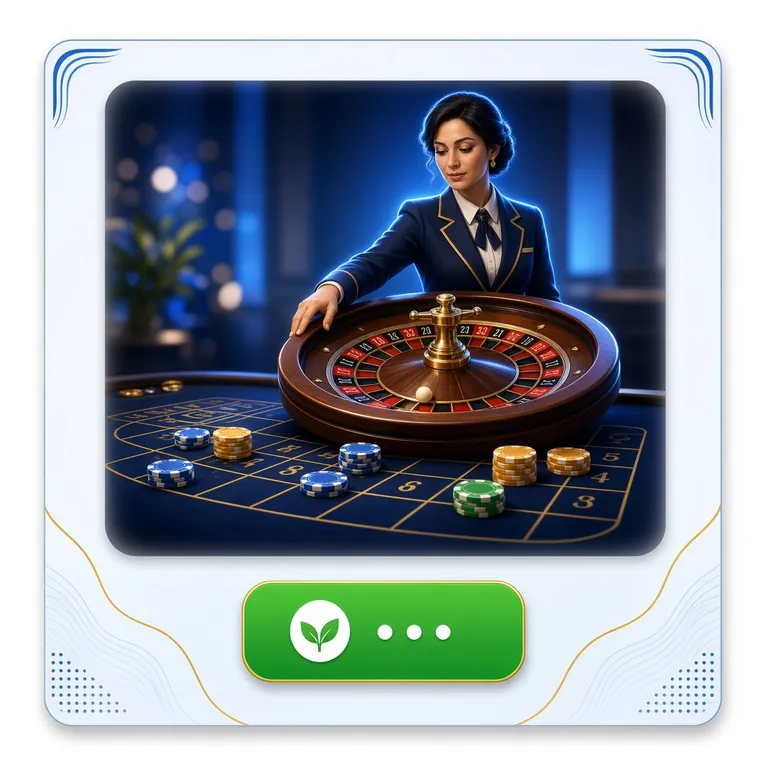 RTP 96.1%
European Roulette
Ezugi · Live Casino · bets from ৳2
- Slots and MegawaysPG Soft, JILI, Habanero, CQ9 and more, all playable in portrait
- Live dealer tablesEvolution and Ezugi stream roulette, baccarat and Teen Patti from real studios
- Crash and instant roundsRounds that finish in seconds, useful when you have one stop left
- Fishing and bingoShade Dragon Fishing, Happy Fishing and Calaca Bingo on a small screen
- Cricket and footballPre-match and in-play markets for BPL, internationals and the World Cup
- Card gamesTeen Patti 20-20 and table games with bets from ৳10
App or browser: which one fits the moment
Both run on the same account and the same balance. The difference is how much friction sits between you and the first spin.
| What changes | 6325p App | Browser version |
|---|---|---|
| Getting in Everyday pick | One tap on the home screen icon, session already remembered | Type the address or open a bookmark every time |
| Setup | 28 MB APK, installed once, updated by downloading again | Nothing to install, works on any phone or laptop |
| Data use | Lighter pages and fewer reloads, kinder to a daily data pack | Loads the full layout each visit |
| Game library | Same slots, live tables, fishing and sports markets | Same library, plus easier multi-table play on a big screen |
| Alerts | Optional notices for match starts, bonus expiry and withdrawals | None, you check the site yourself |
| Deposits and withdrawals | Cashier inside the app, bKash, Nagad, Rocket and bank transfer | Same cashier, same limits and processing times |
| Best for | Commutes, queues, watching a match away from home | Planning a session, comparing games on a laptop |
Permissions the 6325p App asks for, and why
Storage
Enough room for the 28 MB install plus cached game graphics, which the app clears when it needs space. It does not read your photos, your downloads folder or your SD card.
Network access
Required to load games, check your balance and reach live tables. Every request runs over HTTPS, and the login screen never asks for your PIN or your bKash one-time code.
Notifications
Optional and switched off until you allow it. Used for match reminders, bonus expiry dates and the moment a withdrawal is approved. Every one of them can be muted in Android settings.
What it never asks for
No contacts, no SMS reading, no call logs, no location, no microphone. If a file claiming to be our app requests any of those, delete it and take the download from this page again.
Six things the app does better than a browser tab
Cashier built for local wallets
Deposit from ৳300 with bKash, Nagad, Rocket or bank transfer without leaving the app. Most deposits land in about 4 minutes, and withdrawals usually clear in around 26 minutes after approval.
Slots that wait for you
Leave a slot mid-feature and come back after your stop. The app keeps the session alive longer than a browser tab would, so you are not restarting a bonus round from zero.
Real dealers, small screen
Evolution and Ezugi tables stream in portrait without pinching. Bet limits start at ৳2 on European Roulette, so a quick hand on the bus does not need a big bankroll.
Rounds that fit a tea break
Crash and instant games settle in seconds, which suits a five-minute gap between tasks. You can set a stake per round and stop when the timer says so.
Cricket and football in one tab
Follow BPL, international fixtures and World Cup markets with prices that refresh in play. Adding a selection to the bet slip takes two taps, and you can cash out without reloading.
Support that answers at 3 am
Live chat runs around the clock inside the app. Most account and payment questions get an answer in the first reply, in English or Bangla, without an email thread.
Check your phone before you install
Five lines, thirty seconds. If your handset fails one of them, the browser version still works on the same account.
| Requirement | What you need | If it is missing |
|---|---|---|
| Android version | 8.0 or newer | Update Android, or use the site in your browser |
| Free storage | Room for a 28 MB file plus future updates | Clear old videos and chat media, then retry |
| Connection | Wi-Fi or a steady mobile data signal | Download on Wi-Fi, then play on data |
| Browser for the download | Chrome or any modern Android browser | Switch browser and start the download again |
| iPhone or iPad | Safari, using Add to Home Screen | No APK install is possible on iOS |
Version 2.6.19 was published on 13 November 2026. Older builds still open, but the cashier and the live tables may refuse to load until you update.
When the install stalls: five common cases
Almost every failed install on Android comes down to one of these. Work down the list before you contact support.
| What you see | Why it happens | What to do |
|---|---|---|
| The Install button is grey or the file will not open | Your browser is not allowed to install apps from outside the Play Store | Settings, Apps, Special access, Install unknown apps, pick the browser, allow it. Then tap the downloaded file again from Files, Downloads. |
| Play Protect says the app may be harmful | Google flags every package that did not arrive through its store | Tap More details, then Install anyway. The message is about the download source, not a scan result on this file. |
| Download stops at a few megabytes | Weak signal, a data saver cutting background traffic, or a full storage | Switch to Wi-Fi, free some space, and start the download again. Delete the half-finished 6325p.apk first so the phone does not resume a broken file. |
| It says App not installed | An older copy of the app is still on the phone, or the storage ran out mid-install | Uninstall the old version, restart the phone, then install the fresh file. Your account and balance stay on the server, not on the handset. |
| The app opens but the cashier or games will not load | Outdated build, or a blocked connection on the network you are using | Download version 2.6.19 again from this page. If it still fails, try mobile data instead of Wi-Fi, then reach live chat. |
Questions people ask before they install
Is the 6325p APK safe to install?
The file comes from our own server through the button on this page, not from a mirror or a re-upload. Check that the name is 6325p.apk and the size is 28 MB before you tap install. If a link sends you somewhere else or asks for payment, stop and come back here.
Why does Google warn me about the file?
Play Protect warns about every app installed from outside the Play Store, because Google cannot review those packages. Tap More details and then Install anyway. The prompt appears once per install, not every time you open the app, and it is not a virus report.
The Install button is greyed out. What now?
Android is blocking installs from the app you downloaded with. Go to Settings, Apps, Special access, Install unknown apps, choose that browser and allow it. Then open Files, find 6325p.apk in Downloads and tap it again. The button becomes active immediately.
How do I update the 6325p app?
There is no store update, so come back to this page and download the current file, version 2.6.19 as of 13 November 2026. Installing over the old copy keeps your login. Check the version number in the app settings first, so you do not repeat a download you already have.
Can I install it on an iPhone?
No. Apple only allows installs through the App Store, so there is no iOS version of the file. Use Safari, tap Share, then Add to Home Screen. You get an icon that opens the full site without the address bar, and it runs on the same account as Android.
Do I need a new account for the app?
No. Log in with the same number and password you use on the website, and your balance, bonus progress and withdrawal history appear as they are. If you have not signed up yet, open an account first, then log in on the phone.
Will a 28 MB app slow my phone down?
It sits in the same range as a messaging app. Closing a game from the app switcher frees the memory it was using. Older handsets on Android 8.0 handle slots and live tables fine; if yours stutters, play on mobile data instead of a shared Wi-Fi.
Where do I find my withdrawal once it is approved?
The request sits under Cashier, then History, with a status you can watch from the phone. The minimum withdrawal is ৳1,300 and the daily ceiling on the entry tier is ৳20,000. Most requests finish in around 26 minutes; the first one takes longer while documents are checked.
Get the 6325p app on your phone today
Download the 28 MB file, allow installs from your browser, and the icon is on your home screen before your tea goes cold. Your first deposit of ৳300 or more opens the 140% welcome offer, up to ৳24,500.
Wagering on the welcome offer is 14 times the bonus. Read the terms in the cashier before you claim it.
The app is for adults only, and it stays open as long as you stay in control. Set a deposit limit in your account settings, take the break you need, and treat a loss as the price of the evening, not something to chase.
Installing an app means trusting its source. We publish the file on our own domain, keep the version number on this page, and never ask for your bKash PIN or one-time code inside the app. Figures such as the 28 MB size, version 2.6.19 and the Android 8.0 minimum are current as of 13 November 2026 and can change with the next release.